
Complete your payments quickly using Google Pay, PhonePe, or any UPI app by scanning the QR code below.
Welcome to Easy & Secure Payments!
Step 1: Scan the QR Code
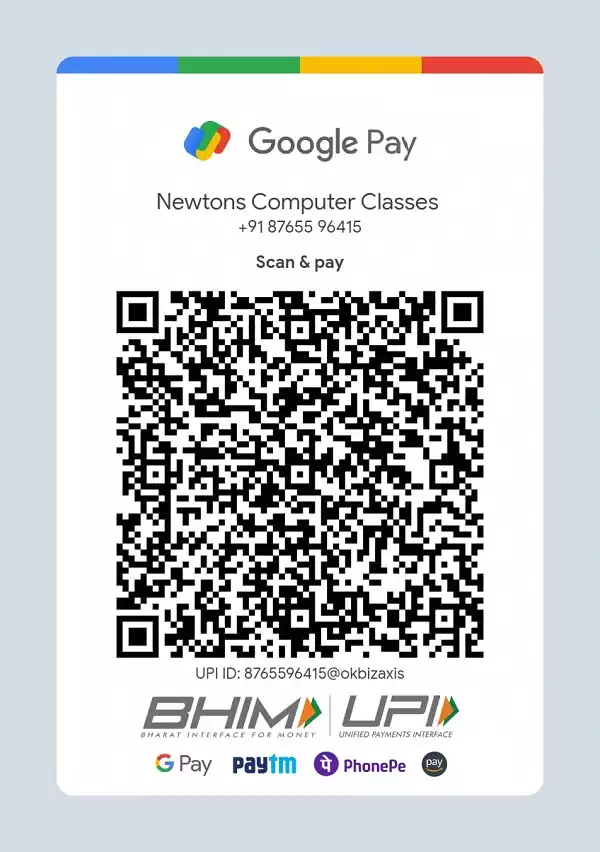
Pay Now – Secure Online Payment for Newtons Computer Classes
Step 2: How to Pay
- Open your preferred UPI app (Google Pay, PhonePe, etc.).
- Tap on “Scan QR Code”.
- Scan the QR Code displayed above.
- Enter the required amount and complete the payment.
Step 3: Confirm Your Payment
- After successful payment, share the transaction details (screenshot or reference ID) with us for confirmation. You can:
- Email us at: info@newtonsclasses.com
- WhatsApp us at: +91 8765596415
Contact Us for Support
- If you face any issues during the payment process, feel free to reach out:
- 📞 Call us: +91 8765596415
- ✉️ Email us: support@newtonsclasses.com
Benefits of Paying Online
- Quick & Hassle-Free: No need to visit physically; just scan and pay.
- Secure Transactions: Payments are encrypted and processed securely.
- Instant Confirmation: Get immediate confirmation of your transaction.
Terms & Conditions
- Payments are non-refundable.
- Ensure that you use the correct UPI ID for the transaction.
- We are not responsible for any incorrect transactions.
